
I’m genuinely happy to share that I’m now sponsored by FreelanceTrackIt. This is one of those partnerships that felt right almost immediately, not because it’s new or exciting on the surface, but because it fits into something I’ve already been trying to fix in my own workflow.
Over the past few months, my work has become more layered than busy. There are multiple projects running at the same time, some creative, some client-based, some ongoing without clear endpoints. None of them are difficult on their own, but they don’t exist in isolation anymore, and that’s where things start to shift. The work itself stays the same, but the way it needs to be managed changes.
What I started noticing wasn’t burnout or overload, but small inefficiencies repeating themselves. Tasks lived in different places depending on what I was doing that day. Time tracking was inconsistent because it depended on whether I remembered to log it. Invoices were handled, but not always immediately, especially for recurring work. Financial tracking existed, but only when I sat down long enough to piece everything together into something that made sense.
It wasn’t a broken system. It just wasn’t tight enough to support how things are moving now.
What FreelanceTrackIt Is (and How Much It Costs)
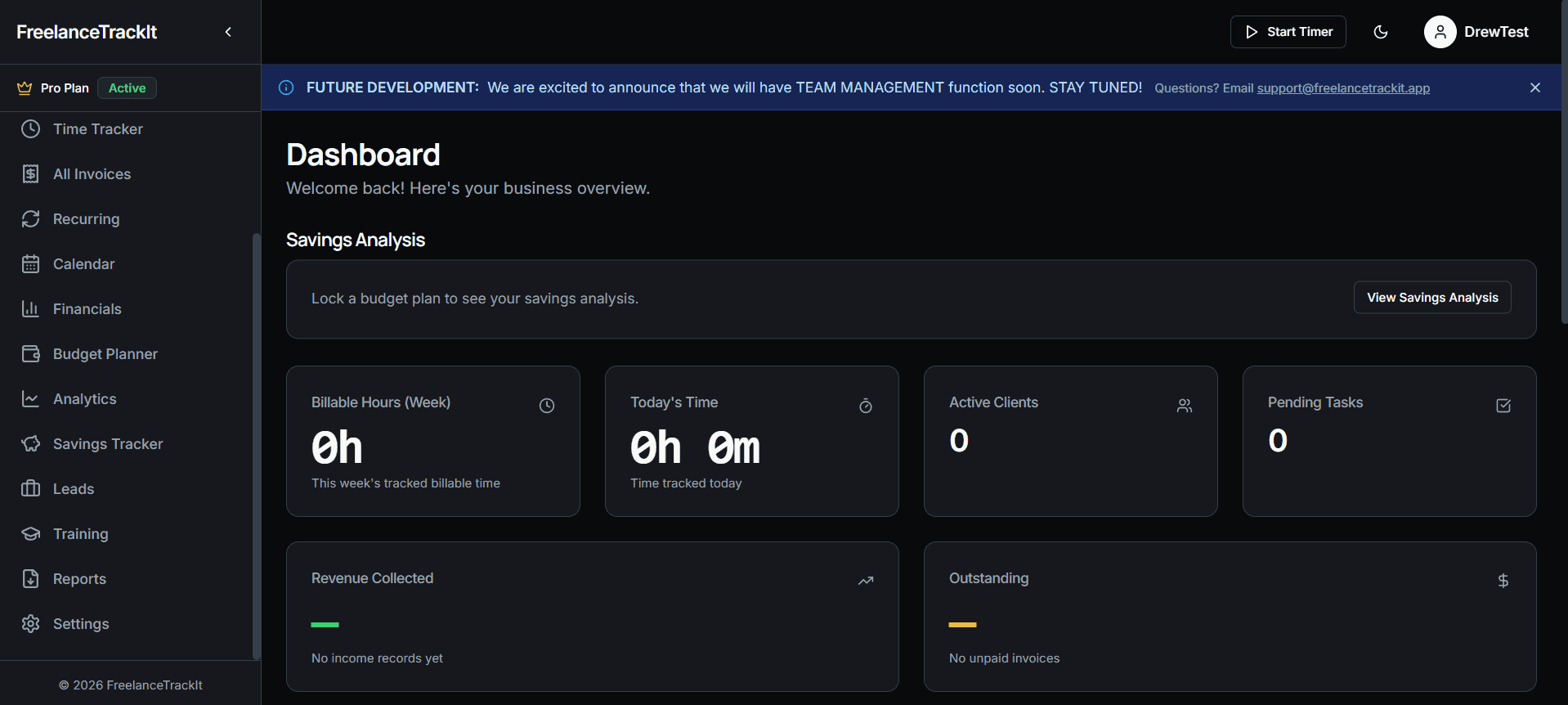
FreelanceTrackIt is an all-in-one freelance management app built for people handling multiple clients, projects, and income streams at the same time. It combines task management, time tracking, invoice generation (including recurring invoices), client tracking, and financial tracking into a single system so everything stays connected.
Instead of using separate tools for each part of your workflow, it brings them together in one place, which makes it easier to track work, bill properly, and understand how your projects are performing without having to manually piece things together.
Pricing starts at PHP 499 per month (approximately USD 9–10/month), which puts it in a range that’s accessible if you’re already freelancing or earning from multiple streams.

Where It Fits in My Workflow
I’m not replacing everything overnight, and I’m not trying to force a new system just for the sake of it. What I’m doing is consolidating what I already do into something that holds better.
Right now, FreelanceTrackIt sits at the center of how I track ongoing work. Tasks across different projects live there instead of being scattered. Time tracking happens as I work instead of after. Invoices are tied directly to the work being done, especially for anything recurring. Client details stay attached to projects so I don’t have to look for context.
Financial tracking is the part I’m paying the most attention to. Being able to see income, expenses, and overall flow without rebuilding it manually changes how I make decisions week to week, not just at the end of the month.
It’s not about doing more. It’s about removing the small gaps that slow things down.
What I’ll Be Sharing Next
This isn’t just a one-time announcement. I’m planning to build a series of articles around this, focused on how to actually use FreelanceTrackIt and how to integrate it into a working system.
That includes how I structure my projects inside it, how I track time without it becoming a chore, how I handle recurring invoices, and how I use the financial tracking to get a clearer picture of what’s working and what’s not. I’ll also be showing how it fits into a broader setup, not just as a standalone tool, but as part of a system that supports content, client work, and everything in between.
The goal isn’t to explain features. It’s to show how it actually holds up in real use.
That’s where this partnership makes sense. What FreelanceTrackIt does is simple in theory, but important in practice. It brings task management, time tracking, invoicing, client tracking, and financial tracking into one place so they don’t have to be managed separately. Instead of jumping between tools and keeping everything aligned manually, the system holds those connections for you.
The value isn’t in having more features. It’s in removing the need to reconstruct your own workflow every time you need a clear picture. When everything sits in one place, it becomes easier to see what you’ve worked on, what’s been billed, what’s still pending, and how everything is moving overall without stopping to organize it first.
That’s the part that made me say yes to this. It fits into what I already need without forcing me to change how I work. It just tightens the structure behind it.
I’ll be using FreelanceTrackIt as part of my day-to-day moving forward, especially across client work, invoicing, and tracking multiple projects at once. If it shows up here or in anything I share, it’s because it’s already part of the system, not because it needs to be added in.
I’m glad this came at the right time.